Payroll that understands your absences
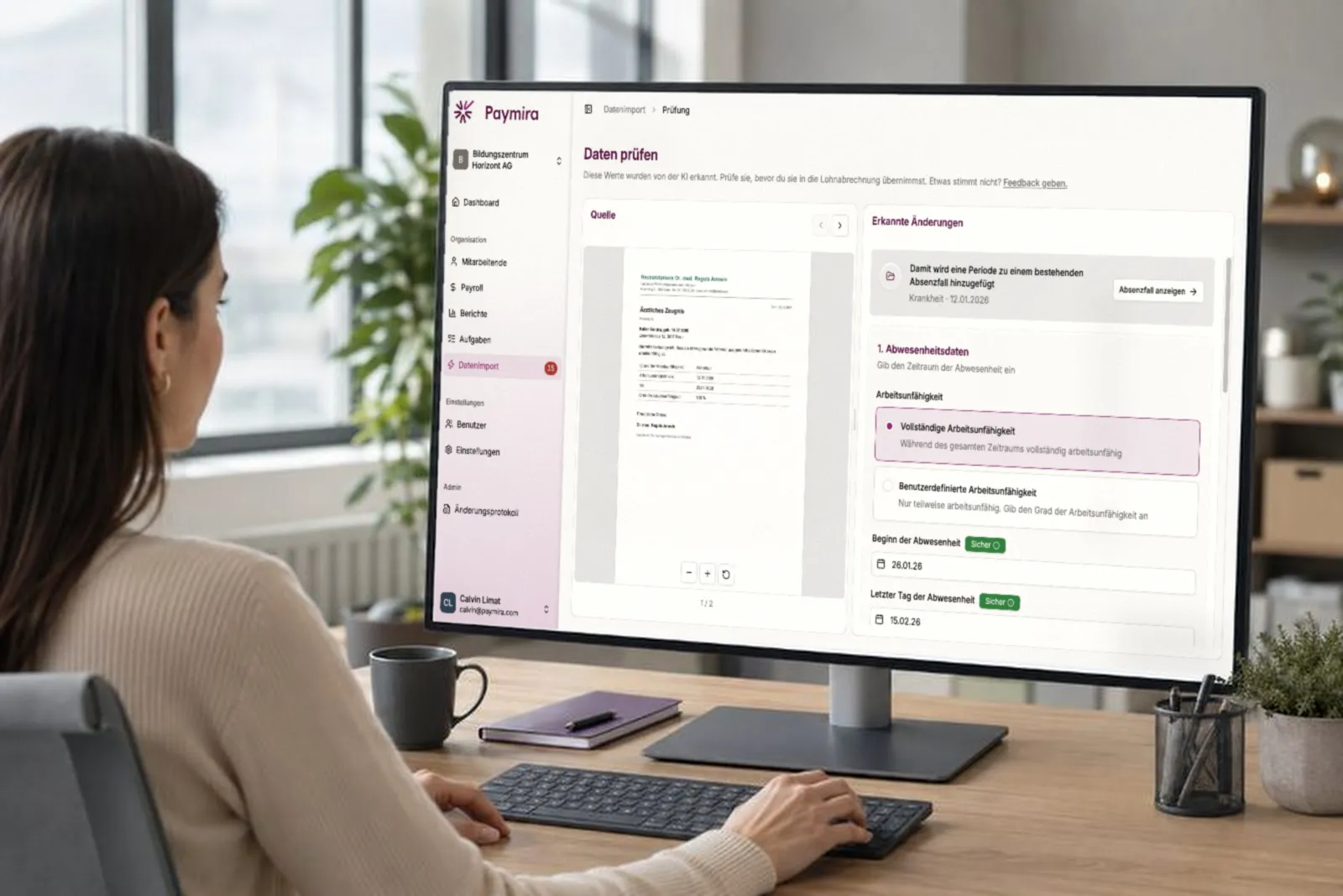
In our “Paymira in Practice” series, we promised to take the tedious groundwork out of payroll. With data import, your payroll run data now comes straight from the files you already have. Back then, we said we would extend data import to more areas. We’re starting where manual work is most tedious and most delicate: absences.
The envelope on your desk
A medical certificate doesn’t wait for your payroll run. It arrives when someone falls ill: as a PDF from the doctor’s practice software, as a scan from the letterbox, sometimes forwarded by the employee.
Then comes the work nobody enjoys. Who is it for? From when to when? Fully unable to work, or at 60%? Is it a first certificate, or the extension of a case that has been running since February?
None of these questions is difficult, but each one is delicate. An absence is rarely a single entry. It is made up of periods that belong together, and that link decides waiting periods, continued pay and daily allowance claims. If a follow-up certificate is recorded as a new case by mistake, the count starts again from zero. The mistake is easy to make and often surfaces late.
Not just reading, but placing
For payroll run data, data import is about recognising values. Absences add a second task: understanding how they connect.
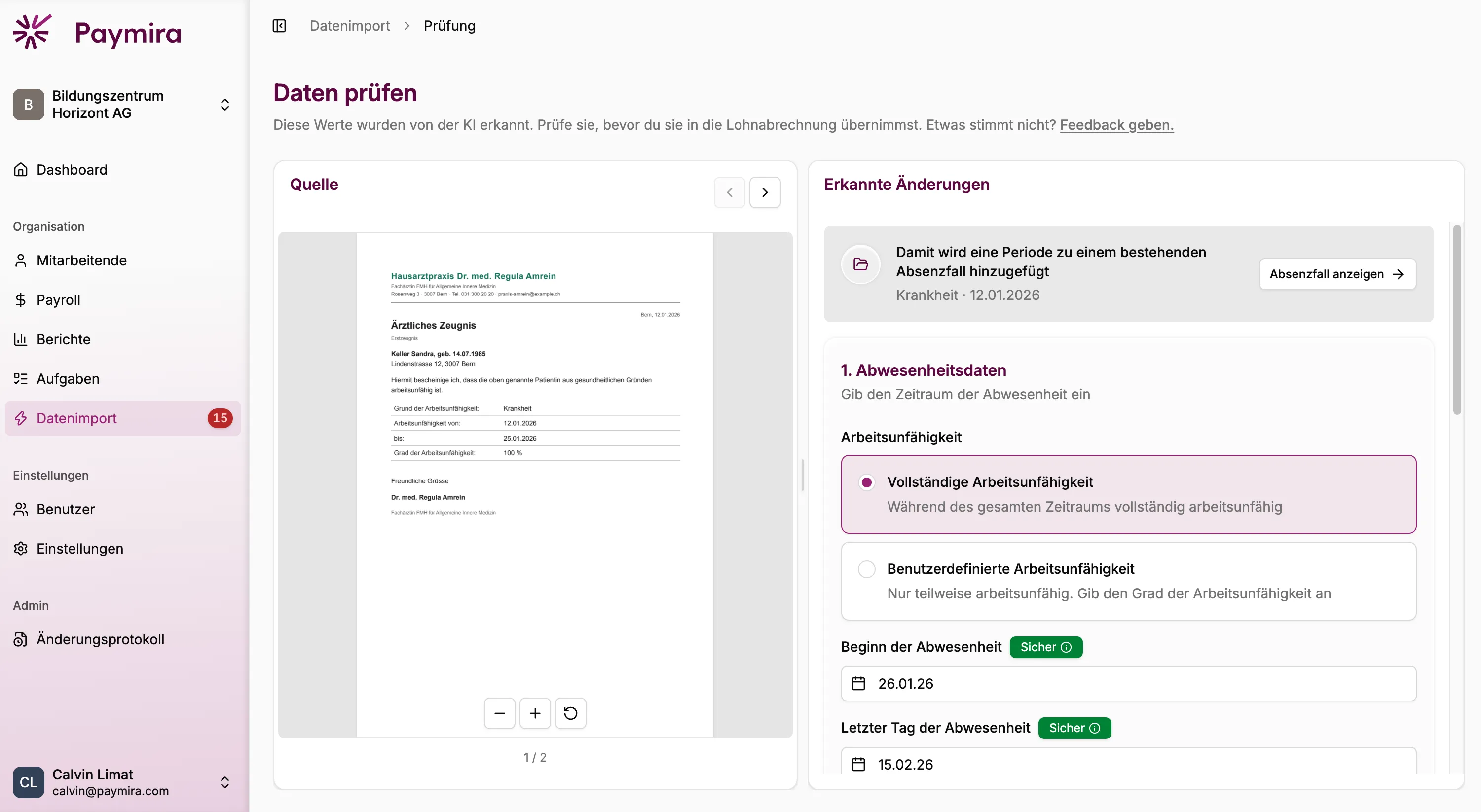
You upload the document as you received it: a medical certificate, a follow-up certificate, a sick note, an accident report. An agent reads the details that matter for payroll, matches them to the right person and checks whether that person already has a matching absence case open. You see the result at a glance: does this start a new absence, or does it add another period to an existing case?
If you have several documents for the same absence, upload them together. The agent then also sees how they relate and adds the periods to the same case in the right order.
Agents prepare, people approve
The principle holds here too, without exception: no recognised value changes a payslip before a person has checked it.
You already know the review view from importing payroll run data. The original document on the left, the recognised details on the right, side by side. Every value shows how reliably it was recognised, and one click takes you to the exact place in the certificate it came from. So you check where it matters instead of comparing line by line. If something is wrong, you correct it on the spot. The absence is only created once you accept it.
You confirm what the certificate says, because you know your employees. What follows from it, such as waiting periods, continued pay and daily allowances, takes payroll expertise, and our payroll team checks it. You decide what only you know. We check what takes expertise.
Typing up a certificate becomes a short check. Working out which case it belongs to becomes a look at the proposal.
Secure and privacy-compliant
Absence documents are among the most sensitive papers that pass through your hands, and we treat them with matching care. Your data is processed strictly under the Swiss Data Protection Act (revFADP) and the EU General Data Protection Regulation (GDPR) and isn’t stored beyond its purpose. Your payroll data never trains third-party models. External AI services run with zero data retention. And people stay in control: agents prepare, you decide.
Available now
Absence import is now part of data import. You’ll find it where you already upload your payroll run data, with nothing to switch on and no extra set-up.
Not every form and every special case is recognised reliably yet. If a document isn’t read the way you expect, or you regularly work with an unusual format, get in touch. We’ll look at it together, and your feedback goes straight into the next iteration.